 Strainovic IT
 Shopware orders automatically in KLARA
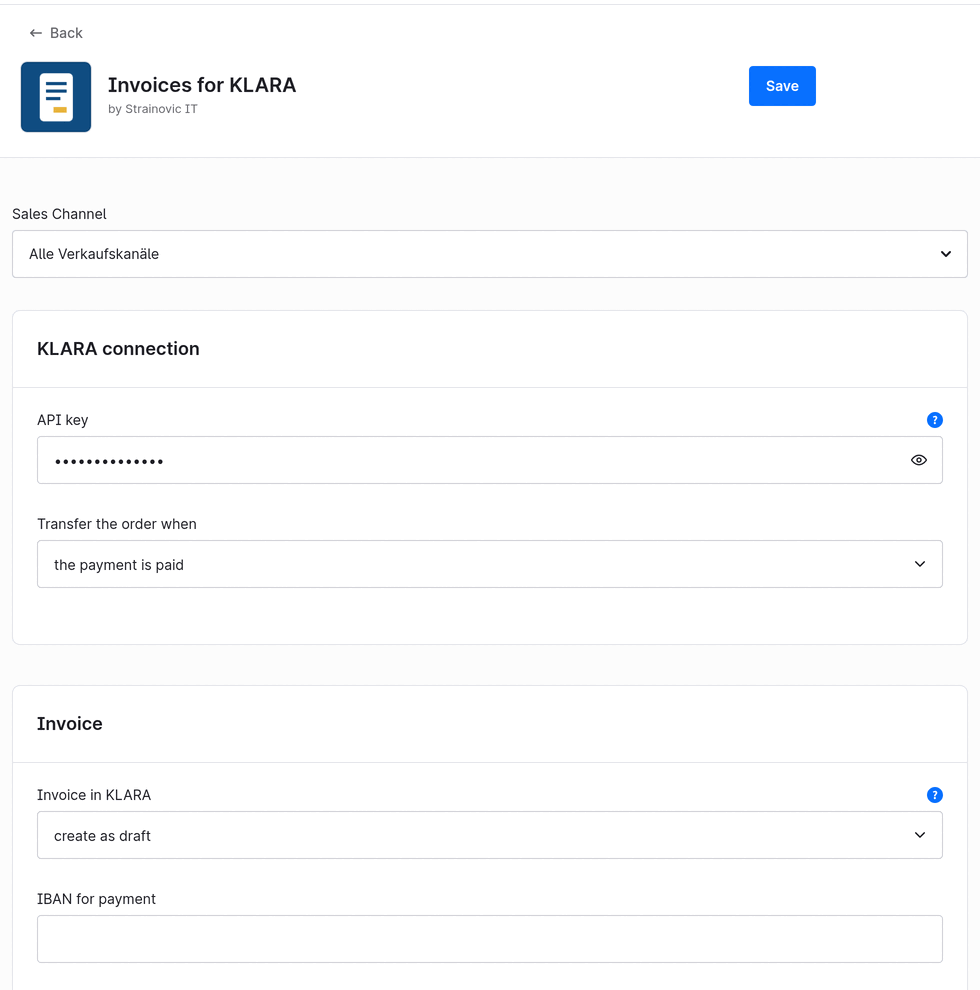
No more retyping orders. As soon as a payment in Shopware 6 is set to "paid", the plugin creates the customer and the invoice in KLARA, with all line items, shipping and the correct VAT rate. The KLARA invoice number then appears in the order.
What it does
- Transfers every order in the background via the Shopware message queue, so the checkout stays fast
- Trigger of your choice: as soon as the payment is paid or as soon as the order is completed
- Looks up the customer in KLARA by email address and creates new customers: Swiss companies as a company with contact person, everyone else as a person
- Creates the invoice as a draft or books it directly, with IBAN and payment terms
- Maps every line item to the VAT rate of your KLARA company (8.1 %, 2.6 %, 3.8 %), rounded to 5 centimes as in KLARA
- Each order only once: a second "paid", for example after a chargeback, does not create a second invoice
Custom fields in the order
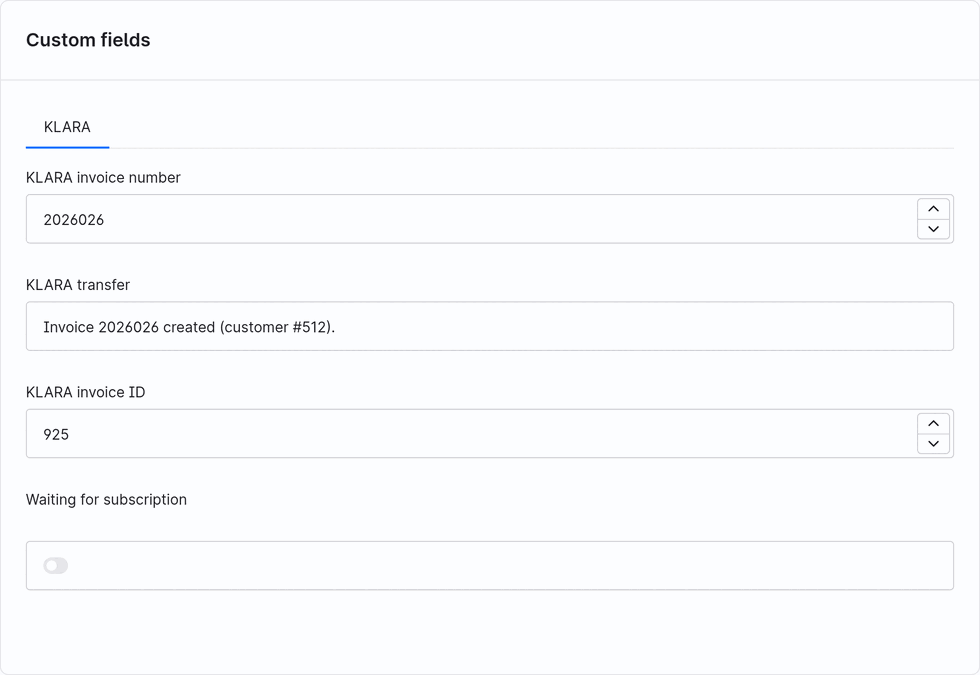
In the "Details" tab of the order, the custom fields card shows under KLARA the invoice number, the result of the transfer and the invoice ID. If a transfer fails, the reason is shown in the field "KLARA transfer".
Who it is for
Swiss online shops on Shopware 6.6 or 6.7 that keep their books in KLARA. KLARA itself offers no shop integration, something the KLARA community has been asking for for years.
A note for the setup: out of the box Shopware treats Swiss private customers as tax exempt (setting of the country Switzerland); a Swiss shop turns this off.
For WooCommerce: the same as a WordPress plugin: WooCommerce orders automatically in KLARA.
Price
- Basic: CHF 149 per shop and year, with updates and support; setup included in the first year
- Agency: CHF 490 per year for up to 10 shops
Free for 30 days, then billed annually, cancel any year.
Try it
Download for Shopware 6, free for 30 days
- Install: in the Shopware administration under Extensions → My extensions → Upload extension, then install and activate.
- In KLARA, under “Users”, create an API key with the finance right (for example the accountant role) and enter it in the plugin configuration; choose the trigger and draft or booking there as well.
- The 30-day trial starts when you save the key. After that you request the invoice right in the plugin; without an order the transfer pauses, no order is lost.
Questions? info@strainovic-it.ch
Strainovic IT, Steinach SG, developing for Swiss SMEs and agencies since 2016.