 Strainovic IT
 WooCommerce orders automatically in KLARA
No more retyping orders. As soon as an order is paid, the plugin creates the customer and the invoice in KLARA, with all line items, shipping, fees and the correct VAT rate.
What it does
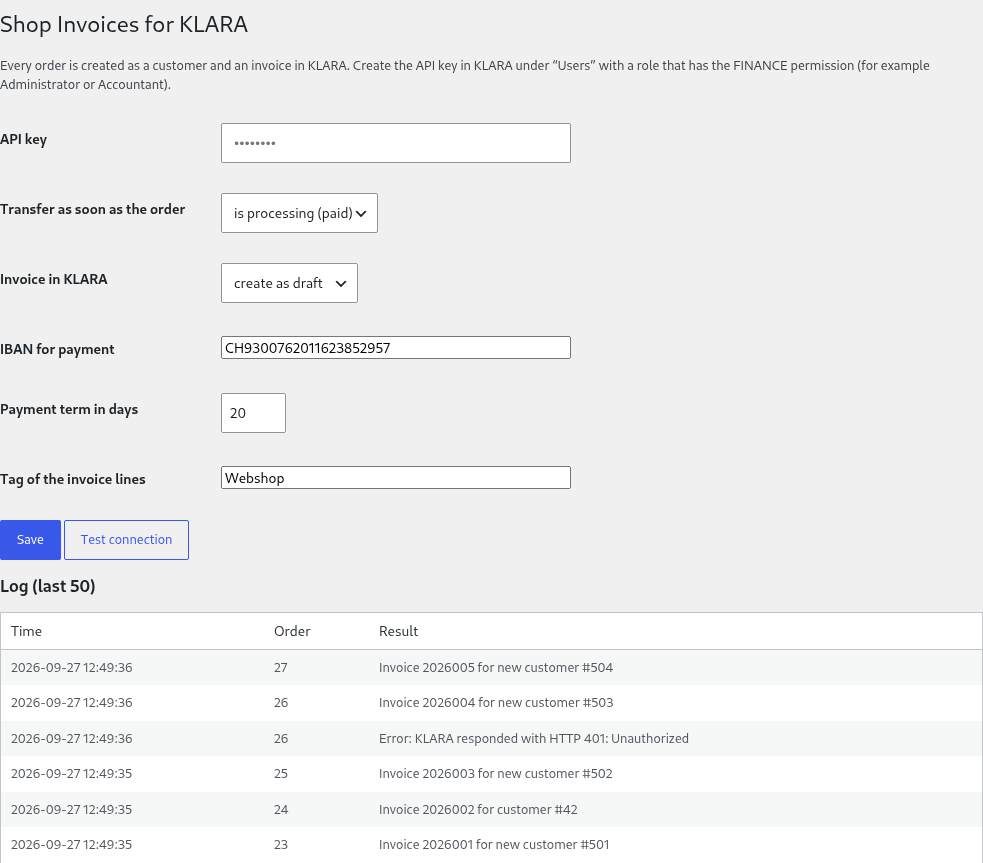
- Transfers every order as soon as it is "Processing" (paid) or "Completed", in the background, so the checkout stays fast
- Looks up the customer in KLARA by email address and creates new customers: Swiss companies as a company with contact person, everyone else as a person
- Creates the invoice as a draft or books it directly, with IBAN and payment terms
- Maps every line item to the VAT rate of your KLARA company (8.1 %, 2.6 %, 3.8 %), rounded to 5 centimes as in KLARA
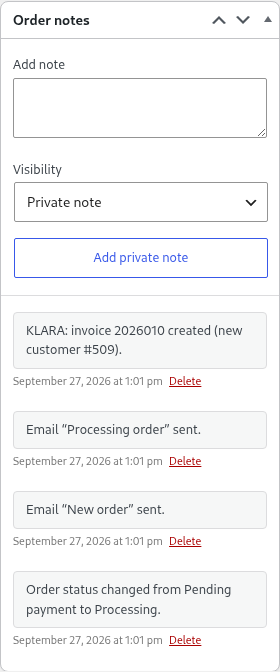
- Writes the KLARA invoice number into the order, each order only once; on an error the reason is shown in the order and one click sends it again
Also for Shopware 6
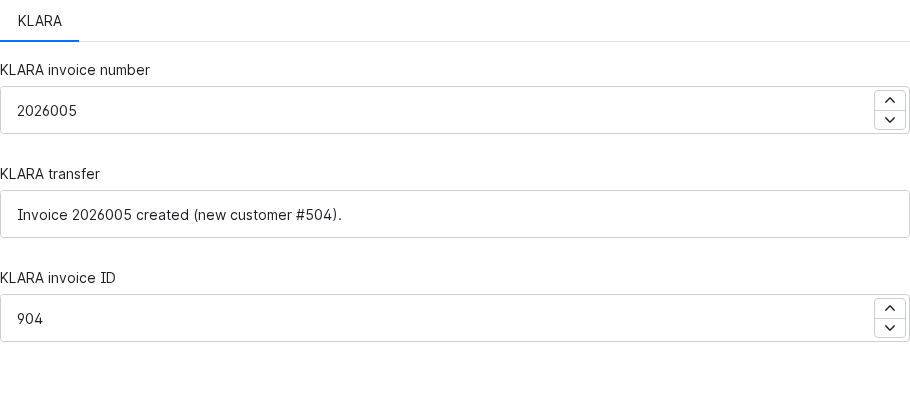
The same as a Shopware plugin (6.6 and 6.7): the invoice is created as soon as the payment is paid or the order is completed. Invoice number and result appear in the custom fields of the order.
Who it is for
Swiss online shops on WooCommerce or Shopware that keep their books in KLARA. KLARA itself offers no shop integration, something the KLARA community has been asking for for years. Shopify will follow.
Price
- Basic: CHF 149 once per shop, setup included
- Pro (in progress): send the invoice directly by email, ePost or eBill, payment status back to the shop, credit notes on refunds
- Agency: CHF 490 for up to 10 shops
No subscription. You pay once it runs in your shop.
Order
The first version runs in my test environment. I set up the first shops personally and check the first invoices in KLARA with you:
Strainovic IT, Steinach SG, developing for Swiss SMEs and agencies since 2016. More plugins: Zefix/UID check for business customers at checkout, bexio form connector for website enquiries in bexio.